Skip to content

The Holostaff AI Dashboard

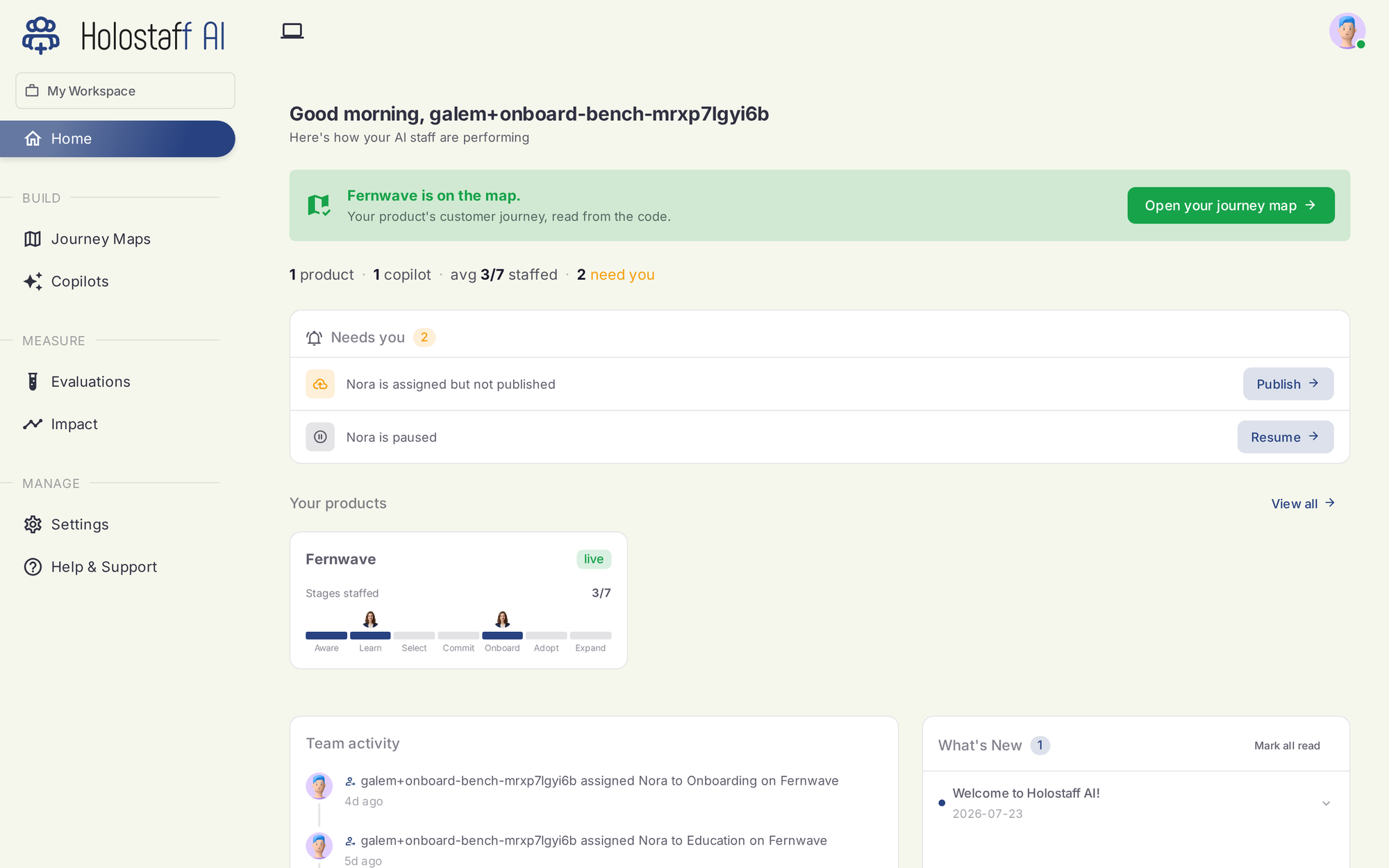
Your Holostaff AI Dashboard is the central hub for monitoring your AI operations, tracking key metrics, and accessing essential tools. After completing the Onboarding Wizard, you'll be greeted by this comprehensive overview designed to keep you informed about your AI staff's performance and recent activities.

The Dashboard provides a snapshot of your AI workforce's impact, helping you make informed decisions and quickly navigate to relevant sections of the platform.

Dashboard Sections

The Dashboard is organized into several key areas, providing a holistic view of your Holostaff AI account:

1. Welcome Banner

At the top of your Dashboard, you'll find a personalized welcome message. This banner provides immediate context and sets the tone for your daily operations.

2. Summary Statistics

This section provides an immediate overview of crucial performance indicators for your AI staff:

  • Total AI Staff: The total number of AI staff members you have created within your account.
  • Active AI Staff: The count of your AI staff members that are currently deployed and actively engaging with users.
  • Total Interactions: The cumulative number of conversations or engagements your AI staff has handled across all deployments.
  • Average Satisfaction: The overall satisfaction rating from users interacting with your AI staff, typically measured on a scale (e.g., out of 5 stars).

Each statistic may include a percentage change indicator, showing performance trends compared to previous periods (e.g., last month or last week).

3. Charts and Performance Overviews

The Dashboard features visual representations of your AI staff's performance trends:

  • Monthly Interactions Chart: A line or area chart illustrating the trend of user interactions over a monthly period. This helps you visualize growth or identify periods of high/low engagement.
  • Satisfaction Ratings Chart: A chart depicting the average satisfaction score over time, allowing you to track the continuous improvement of your AI staff's performance.

4. Recent Activities

This dynamic section keeps you updated on important events related to your AI staff members:

  • Real-time Updates: See a chronological list of actions and events, such as:
    • New AI staff creation.
    • AI staff deployment or status changes (e.g., "deployed to website," "now active").
    • Updates to AI staff configurations (e.g., "had instructions updated").
    • New conversations initiated by your AI staff.
  • Timestamp: Each activity is noted with a time indicator (e.g., "just now," "2 hours ago," "1 day ago") for quick reference.

This section provides valuable insights into the recent operational status and output of your AI workforce.

5. Top Performers

Identify your most effective AI staff members at a glance:

  • This list highlights AI staff members who have achieved high interaction counts or satisfaction ratings.
  • Each entry typically includes the staff member's name, role, number of interactions, and their individual satisfaction rating.

The Quick Links section provides convenient shortcuts to frequently accessed areas of the Holostaff AI platform, enabling you to rapidly navigate to:

  • Knowledge: Manage and create new knowledge sources for your AI staff.
  • My Staff: View, configure, and manage all your AI staff members.
  • Analytics: Dive deeper into detailed performance metrics and conversation data.
  • Settings: Access your account, billing, and workspace configuration options.
  • Help & Support: Find answers to common questions or contact our support team.

The Holostaff AI Dashboard is your operational control center, updated regularly to provide you with the most relevant information for managing your AI team effectively.