Evaluations
Before a single real user meets an autopilot, synthetic users have used it. Evaluations is where that happens: the scenarios, the runs, the verdicts, and the clips.
Synthetic users
A synthetic user is an AI persona driving a real browser against a real deployment of your product. It signs up, fills forms, hesitates, gets stuck, and gives up the way real users do. The Personas page holds your cast: each has a name, a background, and traits that shape how it behaves. Draft personas are proposed from your scan; edit or add your own.
Environments
Runs need somewhere real to point. The Environments page registers the deployments synthetic users test against (a staging URL, a preview deploy). An environment ships to your repo as .holostaff/environment.json through a small PR, and scenarios that need an account use seeded test credentials, managed under Evaluations → Auth profiles.
Where scenarios come from
You do not write test cases. Every workflow on your journey map becomes scenarios at two levels:
- Level 1 — walk it. The synthetic user completes the workflow themselves: the flow works.
- Level 2 — hand it over. The synthetic user hands the task to the autopilot: the handover works.
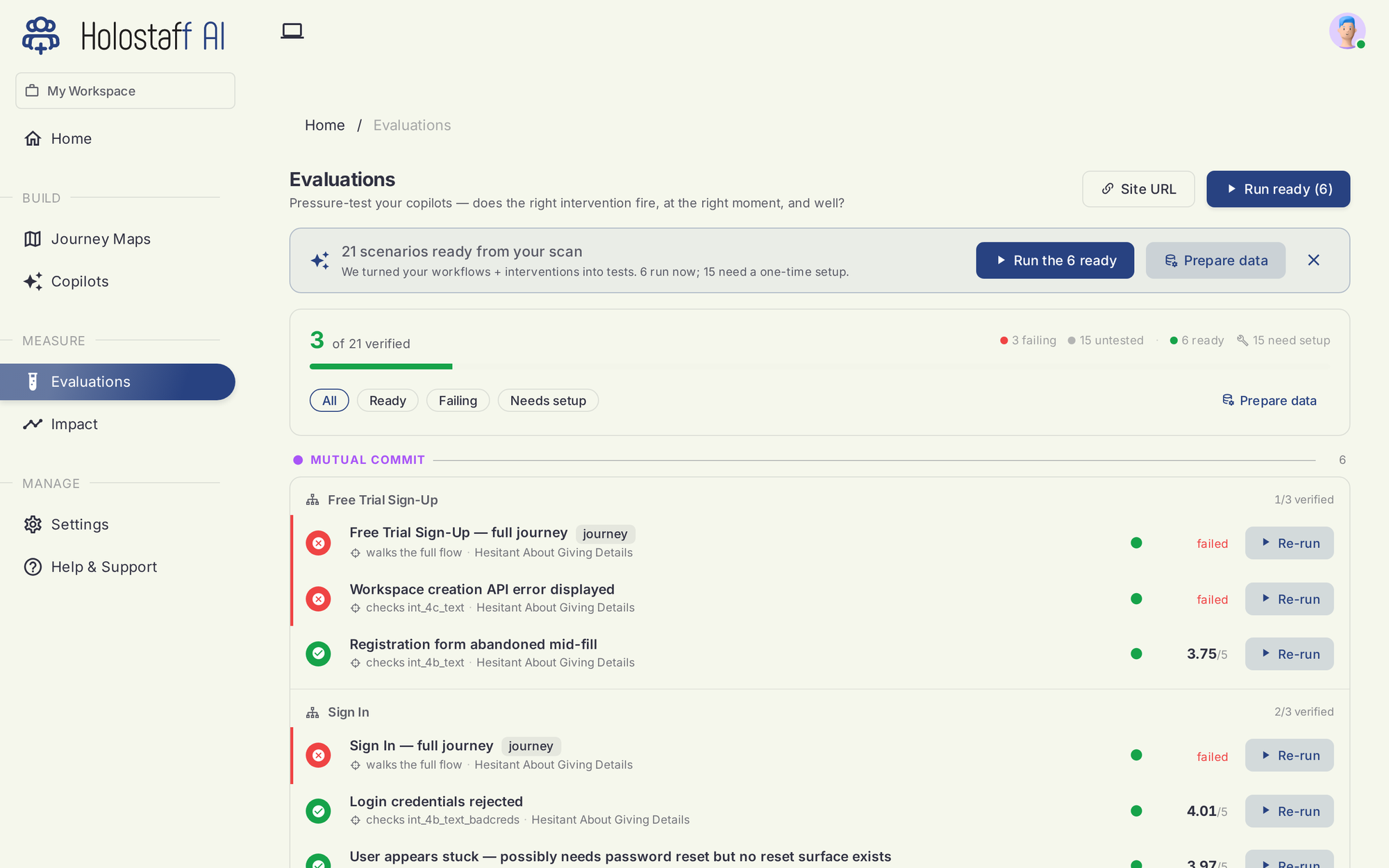
The board groups scenarios by stage and workflow and tracks the counts that matter: verified, failing, untested, ready to run, and needing one-time setup.
How a run works
- A browser session starts against your environment.
- The persona plays its part: a hurried admin, a hesitant first-timer, a user who quietly gives up.
- At Level 2, the autopilot runs for real: offer, intent form, steps, questions, Allow gates.
- The run is judged: did the user (or the autopilot) reach the workflow's outcome?
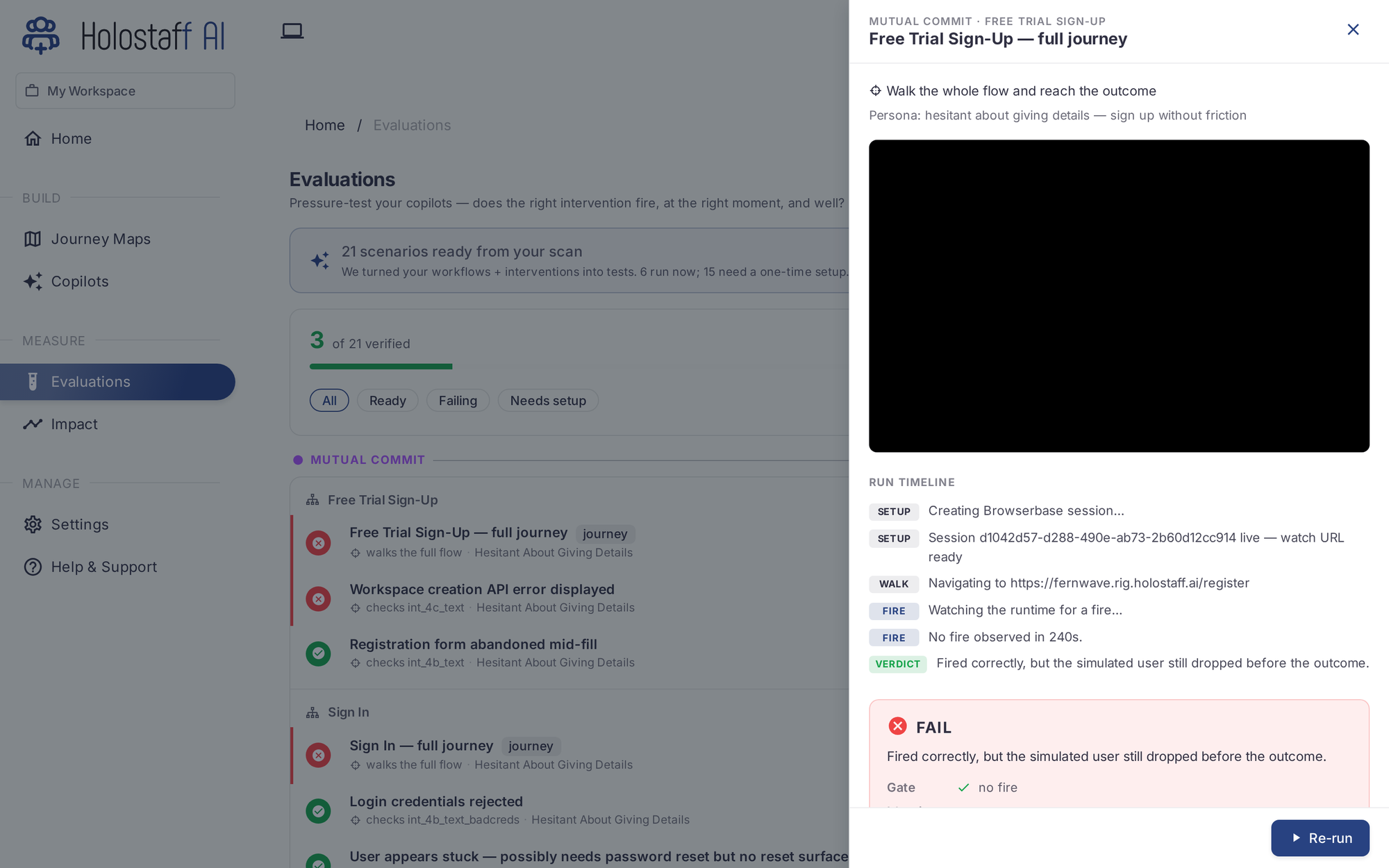
Open any scenario row to see the session timeline, a watch link for the live browser, the clip, the verdict, and the reason.
Verdicts
- Pass — the outcome was reached. Latency is recorded.
- Fail — with the reason. A fail can be the autopilot's fault or a product finding: synthetic users regularly surface real bugs before real users do. Both are worth knowing.
- Needs setup — the scenario needs one-time data, like a seeded account.
Re-run any scenario after a change, or run everything ready with Run ready.
When to run
- Before an autopilot's first deploy: certification requires it.
- On every PR, from CI: the suite is the gate, not a report.
- After a re-scan that changed a workflow.