The Dashboard
Home is a working view, not a vanity view. It tells you what state your product is in and what needs you next.
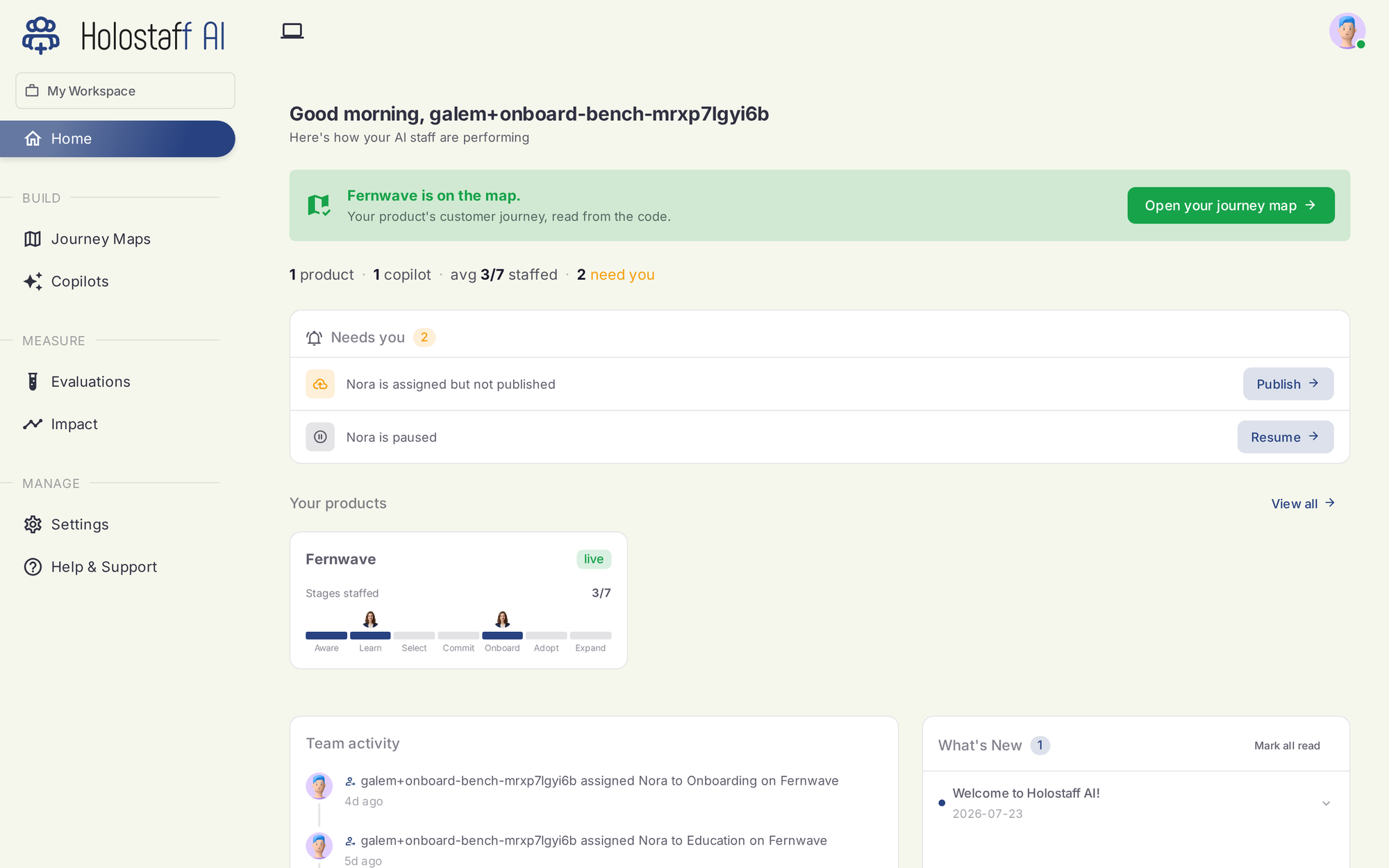
What you see
The map banner. Once a scan lands, Home confirms your product is on the map and links straight to the journey map canvas.
Coverage summary. Products and how much of the seven-stage journey each covers.
Needs you. The queue of actions only you can take: a workflow certified but not yet live, a failing suite to look at, a re-scan with flagged changes to review. Each row carries its action button.
Your products. Every scanned product with its coverage bar. One workspace can hold several products; each gets its own journey map.
Team activity. Who changed what, and when.
The navigation
The sidebar mirrors the lifecycle:
| Section | What it is |
|---|---|
| Journey Maps | Your scanned products and their canvases |
| Personas | Your synthetic users |
| Autopilots | One per workflow: certification state and the deploy toggle |
| Environments | The deployments simulation runs point at |
| Evaluations | The coverage board: scenarios, runs, verdicts, clips |
| Impact | What changed, attributed |
| Settings | Account, billing, workspace, CLI keys |
| Help & Support | Docs and support |